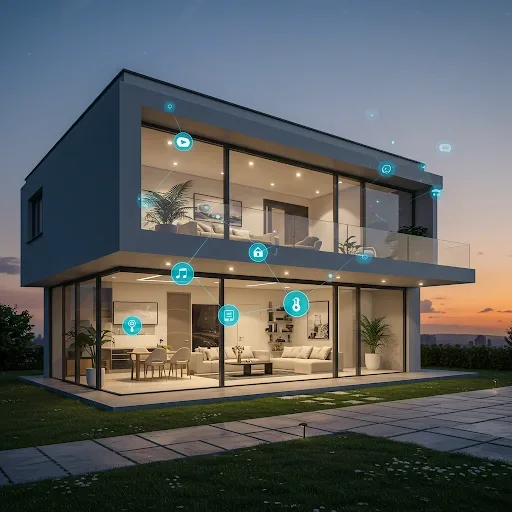
What Is a Smart Home and Why It Is Easier Than You Think
Many people picture expensive high-tech mansions when they hear the term Smart Home, but the reality is far more accessible. A Smart Home simply means devices connected via the internet or wireless signals, controllable from a smartphone, schedulable for automation, or operable by voice. Today's Smart Home devices are dramatically cheaper than five years ago and can be installed without hiring a technician.
The best starting point is choosing one or two devices that solve a real problem in your daily life rather than buying everything at once.
Recommended Starter Devices for Beginners
Six device types work well for first-time buyers: door and window sensors at 300-600 THB that alert you when they open or close, smart cameras at 800-1,500 THB with Night Vision and motion detection alerts, Smart Switches and Smart Plugs at 300-500 THB for controlling lights and appliances remotely, smoke and gas sensors at 500-900 THB to prevent fires and gas leaks, and a Smart Hub at 800-1,500 THB to connect all devices through a single platform.
If you live in an earthquake-prone area, add a seismic sensor to your list from the start.
Real Example: Somchai Builds a Smart Home for 4,800 THB
Somchai lives in a standalone house in Nonthaburi and had a 5,000 THB budget. His plan: two TP-Link Tapo P100 Smart Plugs for 800 THB to control the air conditioner and washing machine, one Imou Ranger 2C camera for 1,300 THB for remote home monitoring, two Aqara door sensors for 600 THB for entry alerts, one Xiaomi Yeelight bulb for 400 THB with automated scheduling, and Home Assistant running on an existing Raspberry Pi at no additional cost. Total spent: 3,100 THB.
He kept 1,700 THB in reserve for a HappySmart earthquake sensor to add later.
Home Assistant: The Option for Beginners Who Want Full Control
Home Assistant is a free open-source software platform running on a Raspberry Pi priced around 1,500-2,500 THB. Its advantages include compatibility with all device brands, no reliance on any company's cloud service, all data staying local in your home, unlimited automation complexity, and no monthly subscription fees.
For beginners who prefer simplicity, a single app such as Mi Home, Tapo, or Aqara Home is perfectly adequate to start.
Plan Your Smart Home Intelligently
Key principles to remember: start with a problem you want to solve, not a device that looks cool; choose brands within the same app ecosystem to reduce complexity; verify Wi-Fi coverage reaches every corner of your home before purchasing devices; and plan ahead for what you will add next.
Starting with 3,000-5,000 THB and gradually expanding is the most effective and cost-efficient approach in the long run.