Why Indoor Air Quality Management Matters
Bangkok residents spend over 90% of their day indoors — at home, in offices, or shopping centers. A common misconception is that indoor air is cleaner than outdoor air. In reality, the EPA reports indoor air can be 2-5 times more polluted than outside, due to inadequate ventilation, chemicals from furniture and cleaning products, and PM2.5 infiltrating from outdoors.
Having real-time air quality data through an app lets you make informed decisions: when to run the air purifier, when to keep windows closed, or when to move children away from a room with pollutant buildup.
The Role of IoT Sensors in Air Monitoring
An IoT air quality system uses four primary sensor types working together. Laser Particle PM2.5 sensors detect particles from 0.3-10 microns with high accuracy, updating readings every 10-30 seconds. NDIR CO2 sensors measure carbon dioxide concentration — levels above 1,000 ppm indicate poor ventilation. VOC sensors detect volatile organic compounds from paint, new furniture, and cleaning products. Humidity and temperature sensors identify conditions favorable for mold growth, with 40-60% humidity being the ideal range.
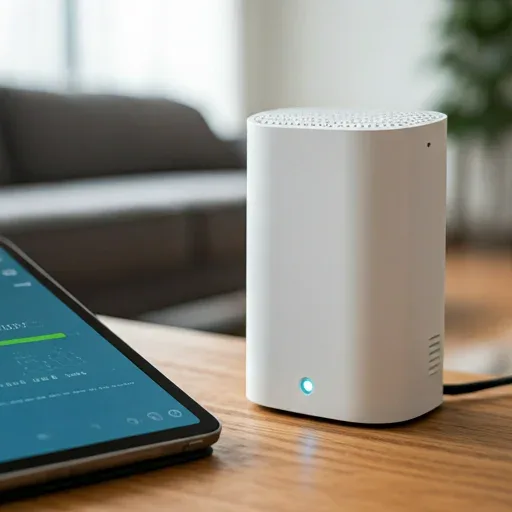
Data from all sensors transmits via Wi-Fi or Zigbee to a central hub and displays on a real-time smartphone dashboard.
Key App Features for Air Quality Management
A capable air quality app should deliver four core capabilities. Real-time monitoring shows a dashboard of PM2.5, CO2, VOC, humidity, and temperature with color-coded indicators (green/yellow/red) for instant comprehension. Automatic alerts send push notifications when any value exceeds your threshold — such as PM2.5 > 50 μg/m³ or CO2 > 1,200 ppm. Remote device control lets you turn purifiers on/off, adjust fan speed, or activate ventilation from anywhere in the world. Long-term analytics reveals weekly and monthly air quality trends to identify recurring problem patterns.
Recommended IoT Devices for the Thai Market
For beginners, the Xiaomi Smart Air Purifier 4 Pro with Mi Home App offers excellent value — it includes a built-in PM2.5 sensor, connects easily via Wi-Fi, and supports Google Assistant and Amazon Alexa. For detailed multi-metric monitoring, the Awair Element measures PM2.5, CO2, VOC, humidity, and temperature in one device with a simple 0-100 score. Philips AC3858 users benefit from the Philips Air+ App showing real-time AQI data. The Netatmo Weather Station suits those wanting simultaneous indoor and outdoor monitoring.
Setting Up Basic Automation Rules
Once sensor data flows, effective automation follows four steps: select compatible devices within a unified ecosystem, position sensors in key locations (bedroom, kitchen, living room), connect everything through the app, then create automation rules. Examples include PM2.5 > 50 → activate air purifier, CO2 > 1,000 → turn on ventilation fan, and PM2.5 < 25 → turn off purifier to save energy. Using Hysteresis logic (different on/off thresholds) prevents rapid cycling and extends device lifespan.
Real-World Results
Families using IoT air quality systems report average indoor PM2.5 levels dropping 60-70% compared to before installation. Automatic alerts help detect air quality deterioration events 3-5 times faster than manual checking. Remote app control achieves 20-30% energy savings since purifiers run only when needed rather than continuously.