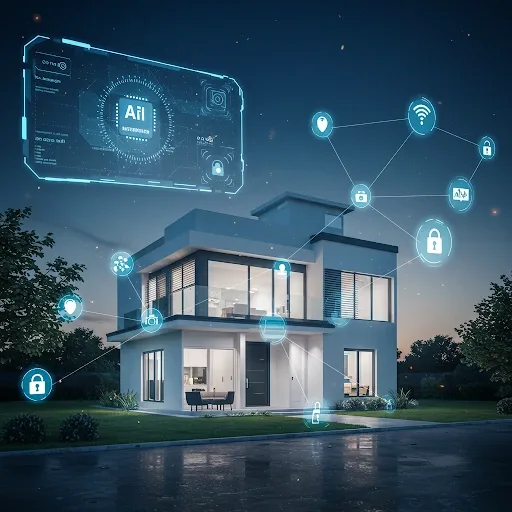
The Role of AI in Smart Home Security
Artificial intelligence transforms home security from passive event recording to proactive and precise threat prevention. AI operates across three core functions in a Smart Home security system.
Real-time threat detection and analysis: AI processes data from cameras and sensors rapidly, analyzing movement, detecting people, recognizing faces, and learning the normal behavioral patterns of residents to identify anomalies the moment they occur.
Intelligent alert system: AI distinguishes routine activity from genuine threats, separating a pet from an unauthorized person, and sends immediate smartphone notifications when something genuinely abnormal is detected.
Automatic security control: when AI detects a threat signal, the system automatically locks doors, switches on lights, and notifies relevant parties without waiting for a human command.
How AI Cameras, Alert Systems, and Motion Sensors Work Together
AI cameras learn each family member's face and distinguish them clearly from strangers. They also learn abnormal behavioral patterns such as repeated late-night door attempts or suspicious movement around the property perimeter.
The intelligent alert system works with AI to send notifications only when a genuinely abnormal event occurs, such as an unrecognized person passing the camera at night or the sound of breaking glass. Alerts arrive as messages with a photo or video clip from the camera so the homeowner can assess the situation immediately.
AI Motion Sensors learn the normal entry and exit patterns of residents. When movement at a window is detected during an absence period, the sensor coordinates with the camera and lock system instantly for a complete automated response.
Setup via Home Assistant
Home Assistant is an open-source platform that connects AI cameras, motion sensors, and smart locks in a single app. It runs on a Raspberry Pi or NAS server.
Device connections are made through three main methods: via MQTT by installing a broker on the server, configuring IoT devices to connect, and installing the MQTT plugin in Home Assistant; via Zigbee or Z-Wave using a USB dongle and appropriate plugin; or via other devices by searching the Home Assistant marketplace for compatible plugins.
HomeBridge for Apple Users
HomeBridge connects non-HomeKit devices to Apple's ecosystem so they can be controlled through the Home app and Siri on iPhone, iPad, and Mac. This allows Apple users who own cameras or smart locks without native HomeKit support to still manage them within the Apple environment.
Configuring Automation for Security
Set a motion-triggered light rule from a PIR sensor: when motion is detected, switch on the smart bulbs in that zone. Set an AI camera stranger alert rule: install the AI camera plugin in Home Assistant, configure a notification rule for when an unrecognized person is detected, and test and refine sensitivity before going live. AI truly elevates home security when cameras, sensors, and smart locks work together as a coordinated system controlled from one app.