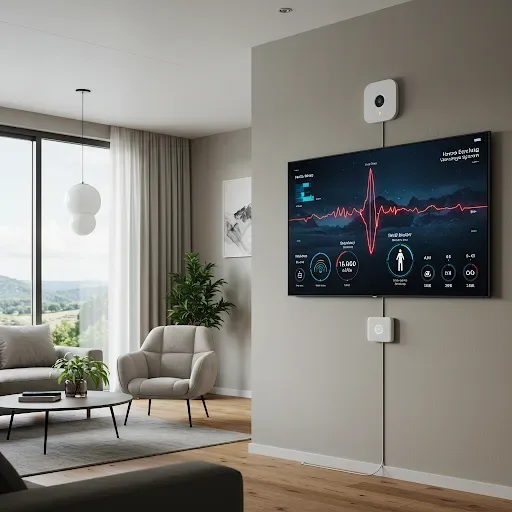
Why Your Home Needs an Earthquake Warning System
Earthquakes cannot be predicted with precise timing. Older structures in high-risk areas such as Chiang Rai, Chiang Mai, and Mae Hong Son face significant damage risk from events of 4.0 Richter and above. Every second matters for evacuation, gas shutoff, and family notification. An automated EWS is therefore an irreplaceable safeguard.
What Is Home Assistant
Home Assistant is an open-source Smart Home platform running on a Raspberry Pi or mini PC inside your home. It requires no cloud dependency, supports over 3,000 IoT device types, and can build sophisticated Automations without coding. HA is the most capable Smart Home hub available today.
Who Is HappySmart
HappySmart is a Thai specialist in Smart Home and earthquake warning systems with experience installing EWS for residential and commercial properties. The company uses tested industrial MEMS sensors and delivers full-service solutions from system design through after-sales support, with a Thai-speaking team.
System Components
A complete EWS consists of an MPU6050 or industrial MEMS sensor for vibration detection, an ESP32 or ESP8266 for MQTT data transmission, a Raspberry Pi 4 or mini PC running Home Assistant OS, smart switches for the gas valve and emergency lights, a smart lock for door release, a speaker or siren for audio alerts, and a UPS with at least 650VA capacity.
Six Installation Steps
Step 1 Plan sensor placement: Mount on a primary structural column or wall away from vibrations caused by walking or appliances. A low floor position gives better ground-contact sensitivity.
Step 2 Connect MPU6050 to ESP: Wire SDA, SCL, VCC, and GND according to ESP32 pinout and verify data reception before permanent mounting.
Step 3 Flash ESPHome: Write a YAML configuration defining Wi-Fi credentials, the MQTT broker, and sensor parameters, then flash to the ESP32.
Step 4 Add to HA Integration: HA automatically discovers the ESPHome device. Add it to the dashboard and assign entity names.
Step 5 Create Automations: Set triggers when readings exceed thresholds with actions including LINE Notify, gas valve shutoff, emergency light activation, and door unlocking.
Step 6 Test the system: Gently tap or shake the sensor to trigger Automations and confirm that notifications reach every phone.
Case Study: Mae Sai, Chiang Rai, 4.0 Richter Earthquake
A Mae Sai residence with a HA and HappySmart EWS successfully closed the gas valve, notified all family members, and completed evacuation before the S-wave arrived. Potential damage from a gas leak was entirely prevented.
Is It Worth the Investment
An EWS costs from a few thousand to tens of thousands of baht, yet it protects property worth hundreds of thousands and safeguards something beyond price: your family's lives. Compared to post-earthquake repair costs of 50,000 to 200,000 THB or medical bills from injuries, an EWS investment is clearly justified.