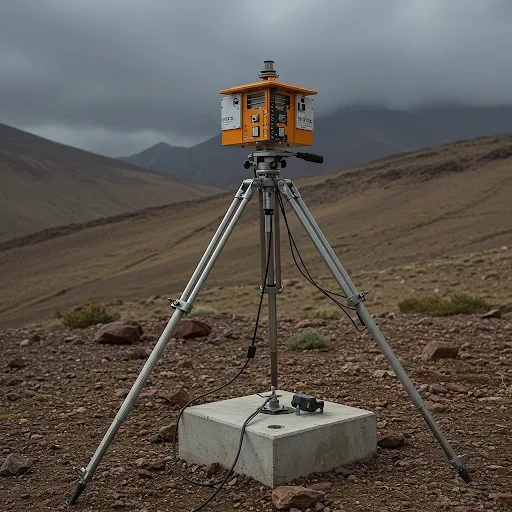
What Is an Earthquake Warning System?
An earthquake warning system detects ground vibration before its effects reach the home. Large earthquakes emit P-waves first, followed by the destructive S-waves. Detecting P-waves early provides 5 to 15 seconds of lead time before main shaking arrives -- enough to command home devices to act and protect occupants.
Benefits of Home Automation During an Earthquake
Real-time alerting is the first and most critical benefit. The system notifies every smartphone in the home immediately, without waiting for occupants to physically feel the vibration. For those who are asleep or in a well-insulated room, the system may be the only thing that wakes them in time.
Automatic gas valve closure cuts the fire risk that frequently follows earthquakes. Emergency lights that activate automatically illuminate evacuation routes. Doors that unlock automatically provide unobstructed exit paths. And simultaneous alerts to every household member ensure no one is left behind.
Connecting Home Assistant to an Earthquake Sensor
For those with technical backgrounds, a DIY approach uses an ESP32 with an MPU6050 sensor and ESPHome Firmware to feed real-time data to Home Assistant. The basic process involves installing ESPHome on ESP32, wiring the MPU6050 sensor, configuring YAML in ESPHome to read sensor values, then building a Home Assistant Automation to alert and command devices when values exceed a defined Threshold.
But not everyone has the time or expertise for this process. That is precisely where HappySmart fills the gap.
HappySmart for Those Who Want a Ready-to-Use System
HappySmart provides end-to-end service: system design, hardware installation, Automation configuration, and full testing in one visit. Engineers design the system specifically for your home layout, determine the right sensor positions, calibrate Thresholds to match the local environment, and verify that all Automation works correctly before handover. The After-sales service handles Firmware updates and long-term troubleshooting remotely.
Post-Installation Maintenance
A reliable system requires regular care. Check sensor status every 3 to 6 months, test Automation monthly, and update ESPHome and Home Assistant via OTA regularly. HappySmart sends maintenance reminders and can perform remote diagnostics, ensuring the system remains ready to respond whenever it is needed.